Routines are guided workflows for common broking tasks. Instead of writing a long prompt, you answer a few questions and upload the right documents step by step. The Assistant then works from a detailed, expert-written set of instructions.
Available routines
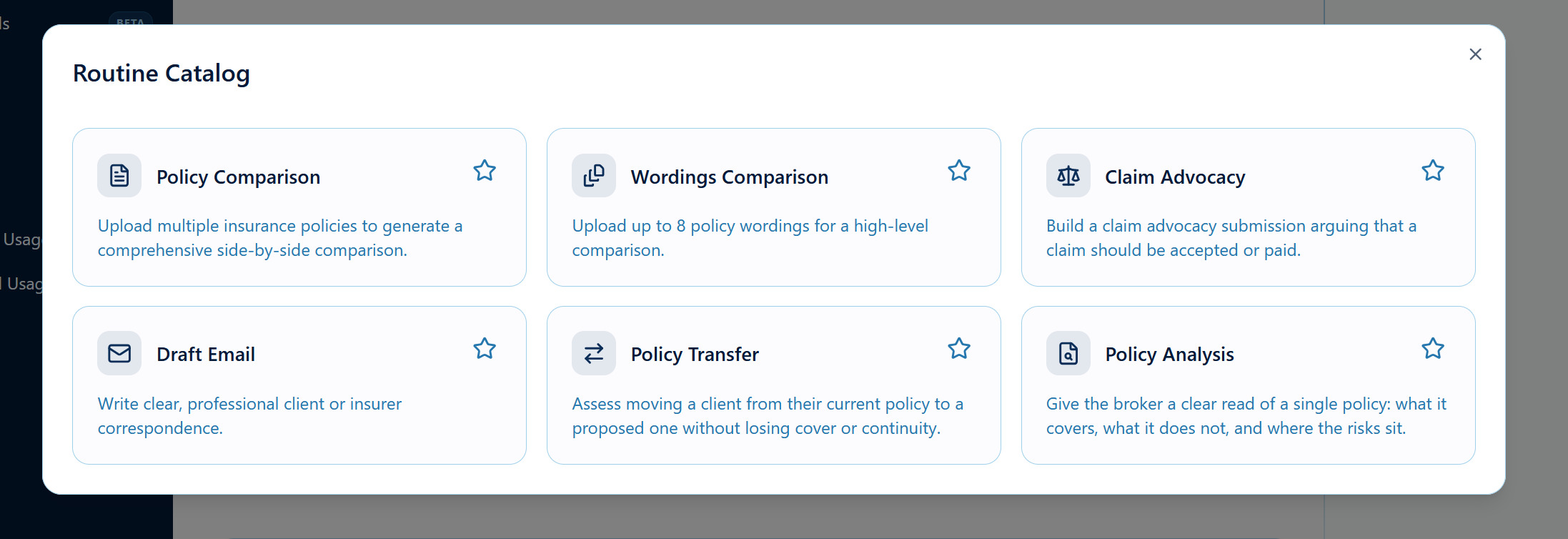
| Policy Comparison | Side-by-side comparison of 2 or 3 policies. |
| Wordings Comparison | High-level comparison of up to 8 policy wordings. |
| Policy Analysis | A clear read of a single policy: what it covers, what it doesn't, and where the risks are. |
| Policy Transfer | Checks whether moving a client from their current policy to a proposed one loses any cover or continuity. |
| Claim Advocacy | Builds a submission arguing that a claim should be accepted or paid. |
| Draft Email | Writes clear, professional client or insurer correspondence. |
Running a routine
- In the AI Assistant, click a routine button under the message box, or click … to open the Routine Catalog.
- Work through each step. Fields marked as required must be filled in.
- Upload documents by dragging them onto each upload box or clicking it.
- Click Continue to move between steps, or Back to change an answer.
- On the last step, click Finalise. Check the Review screen.
- Click Start. The routine runs in the chat as a normal message.

After the routine runs
The result is a normal conversation, so you can keep going:
- "Turn the comparison into a Word document."
- "Rewrite the summary for the client. They're not an insurance person."
- "Export the comparison table to Excel."
Favourite routines
- Open the Routine Catalog (click …).
- Click the ⭐ on a routine to favourite it. You can have up to 4 favourites, and they appear first in your quick buttons.
For admins: turning routines on or off
Go to Settings → AI Assistant → Routines. Turn on Enable All Routines, or switch on individual routines. Changes apply to everyone in your organisation.
Was this article helpful?
That’s Great!
Thank you for your feedback
Sorry! We couldn't be helpful
Thank you for your feedback
Feedback sent
We appreciate your effort and will try to fix the article