Document Templates are your firm's own Word (DOCX) and Excel (XLSX) files, such as a proposal, a renewal report or a schedule of insurance. The Assistant fills them in so generated documents match your firm's layout.
How to add a template
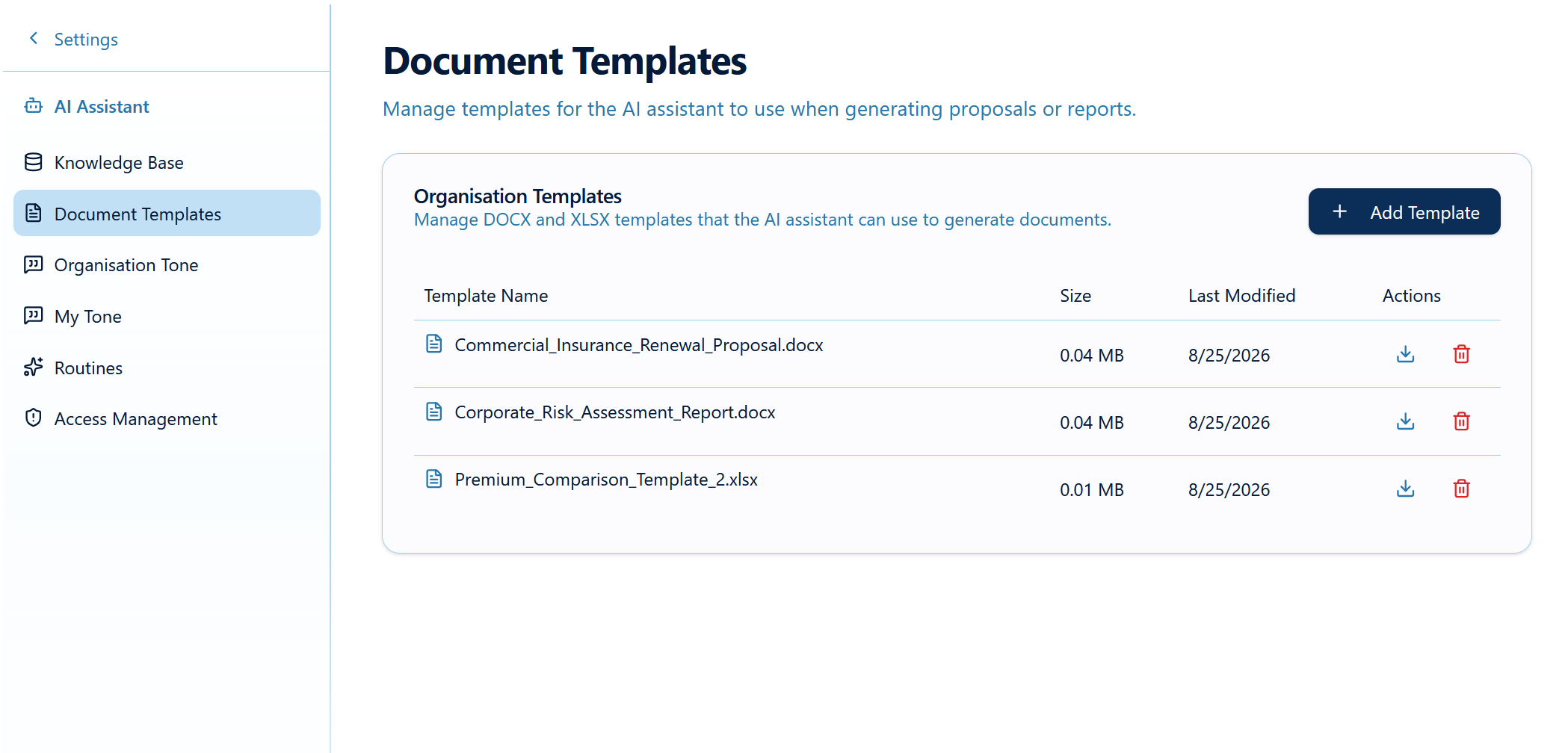
- Go to Settings → AI Assistant → Document Templates.
- Click Add Template.
- Upload a .docx or .xlsx file.
- When you see "Template successfully uploaded!", it appears in the Organisation Templates list with its name, size and last-modified date.
Preparing a good template
- Give it a clear name users will recognise, e.g.
Renewal Report Template.docx. - Use clear section headings (Client Details, Cover Summary, Recommendations) so the Assistant knows where content goes.
- Remove leftover client details from old documents.
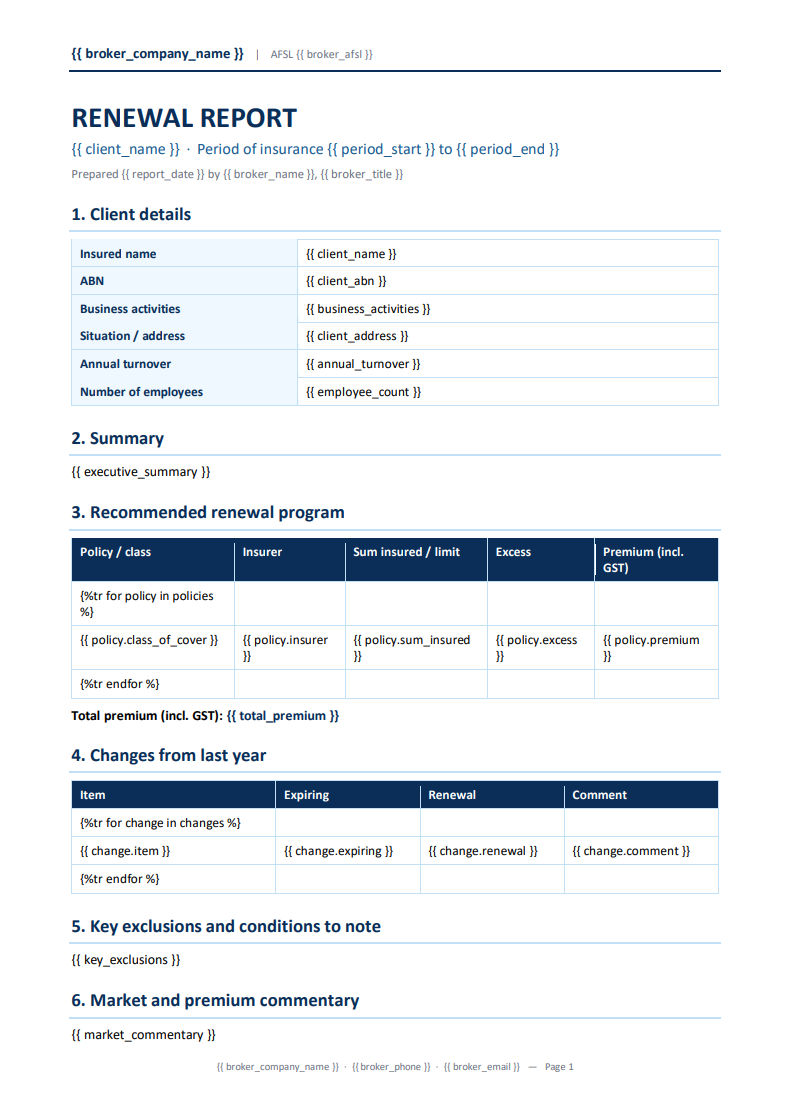
- Templates need placeholder tags eg: {{client_name}}
Example Document Template
Using a template in a conversation
Ask the Assistant by name, e.g. "Using our Renewal Report Template, create a renewal report for the attached policy schedule." The finished document appears as a Generated Template Document card to download.
Here is the example of a Generated Document from the template above: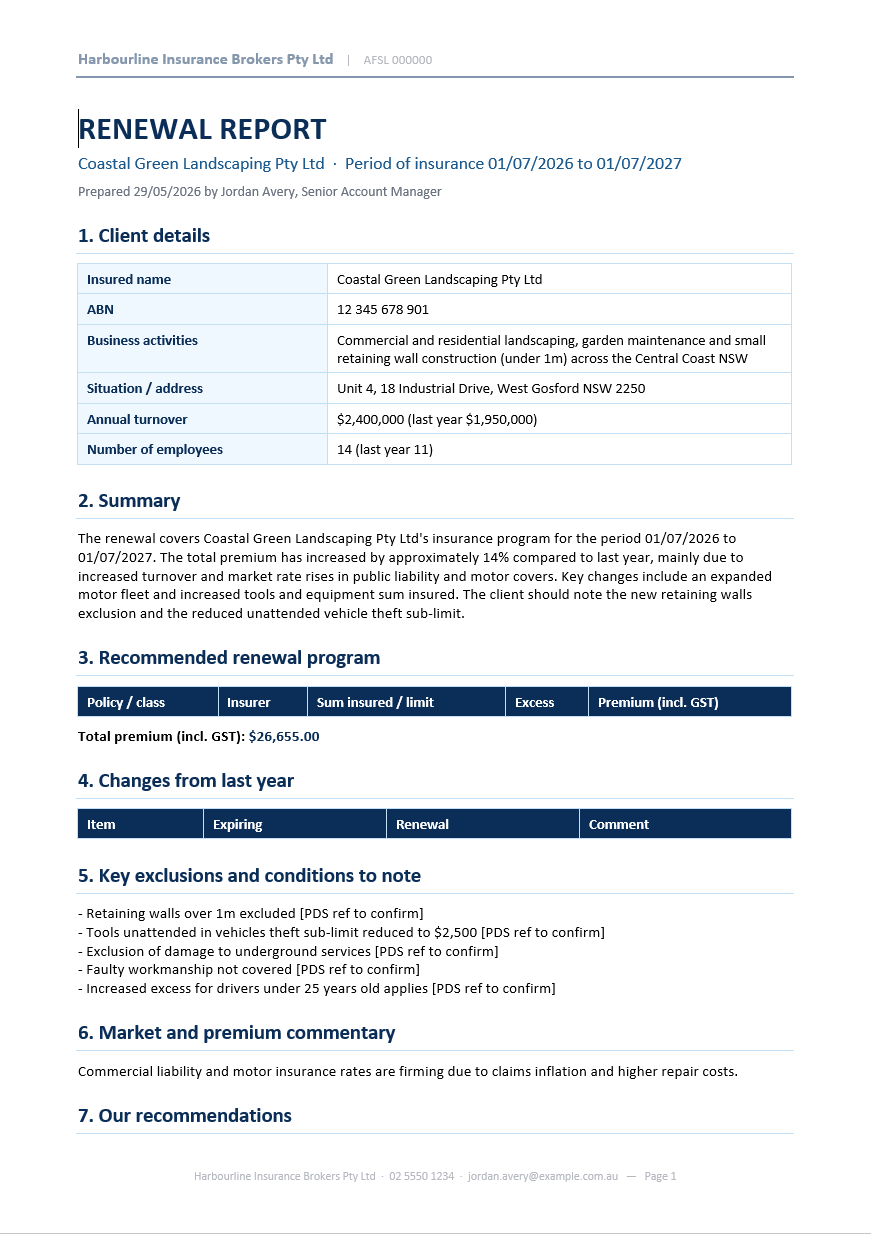
Was this article helpful?
That’s Great!
Thank you for your feedback
Sorry! We couldn't be helpful
Thank you for your feedback
Feedback sent
We appreciate your effort and will try to fix the article